Color AutoLink
The Color AutoLink plugin finds all HEX color codes and links them to project styles with a single click. Forget about routine tasks.

Bring order to your design system in one click
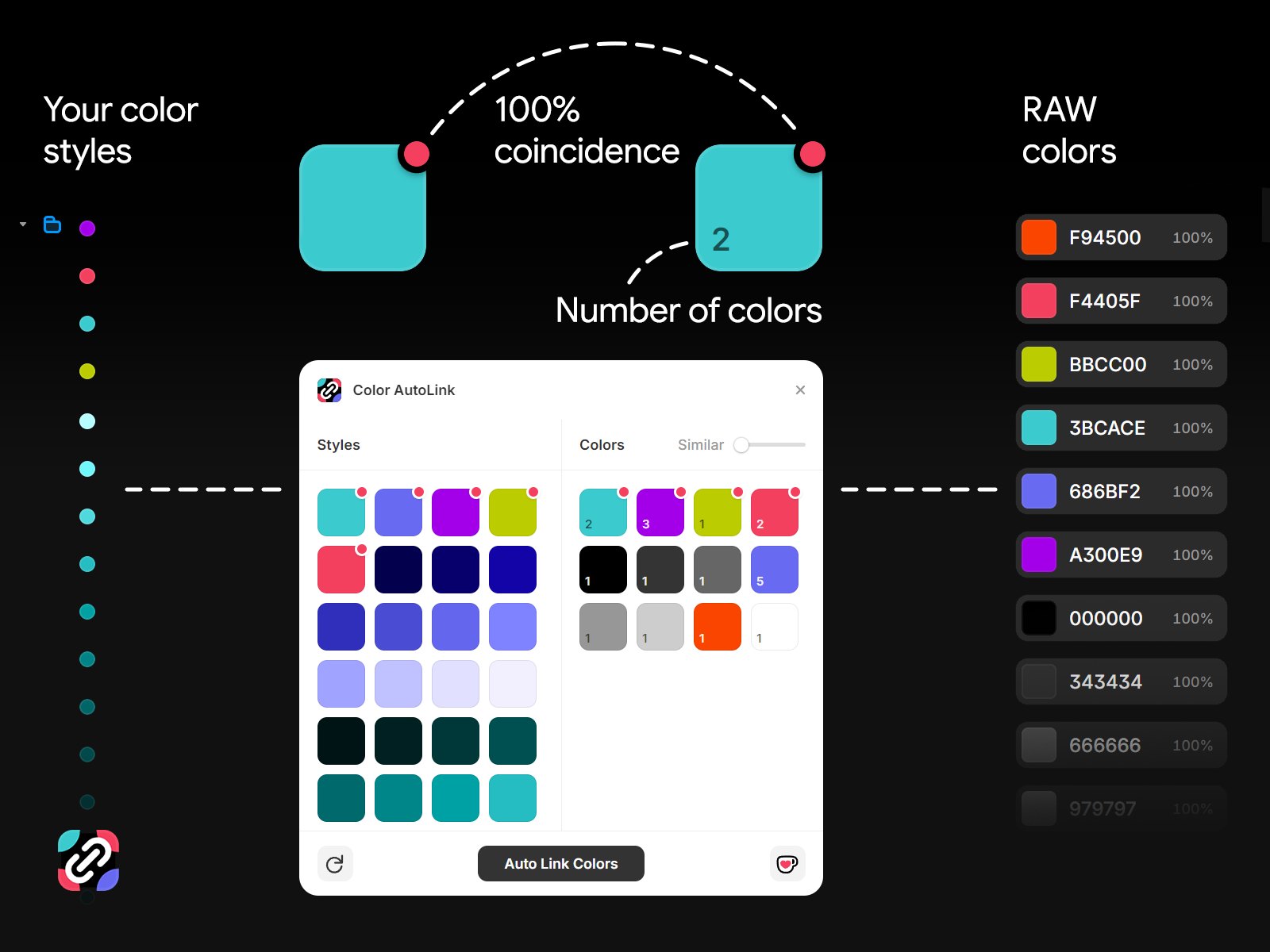
Stop spending hours manually linking colors to styles. Color AutoLink scans your project, finds all raw HEX codes, and instantly links them to your project's existing Color Styles.
Why do you need Color AutoLink?
When you copy components from other projects or import designs, colors often remain as raw values that are not linked to project styles. This breaks consistency and complicates site maintenance.
Color AutoLink automates this process, making your project clean and professional.
Key features:
Smart search: The plugin automatically finds your main breakpoint and scans all nested elements, ignoring unnecessary clutter on the canvas.
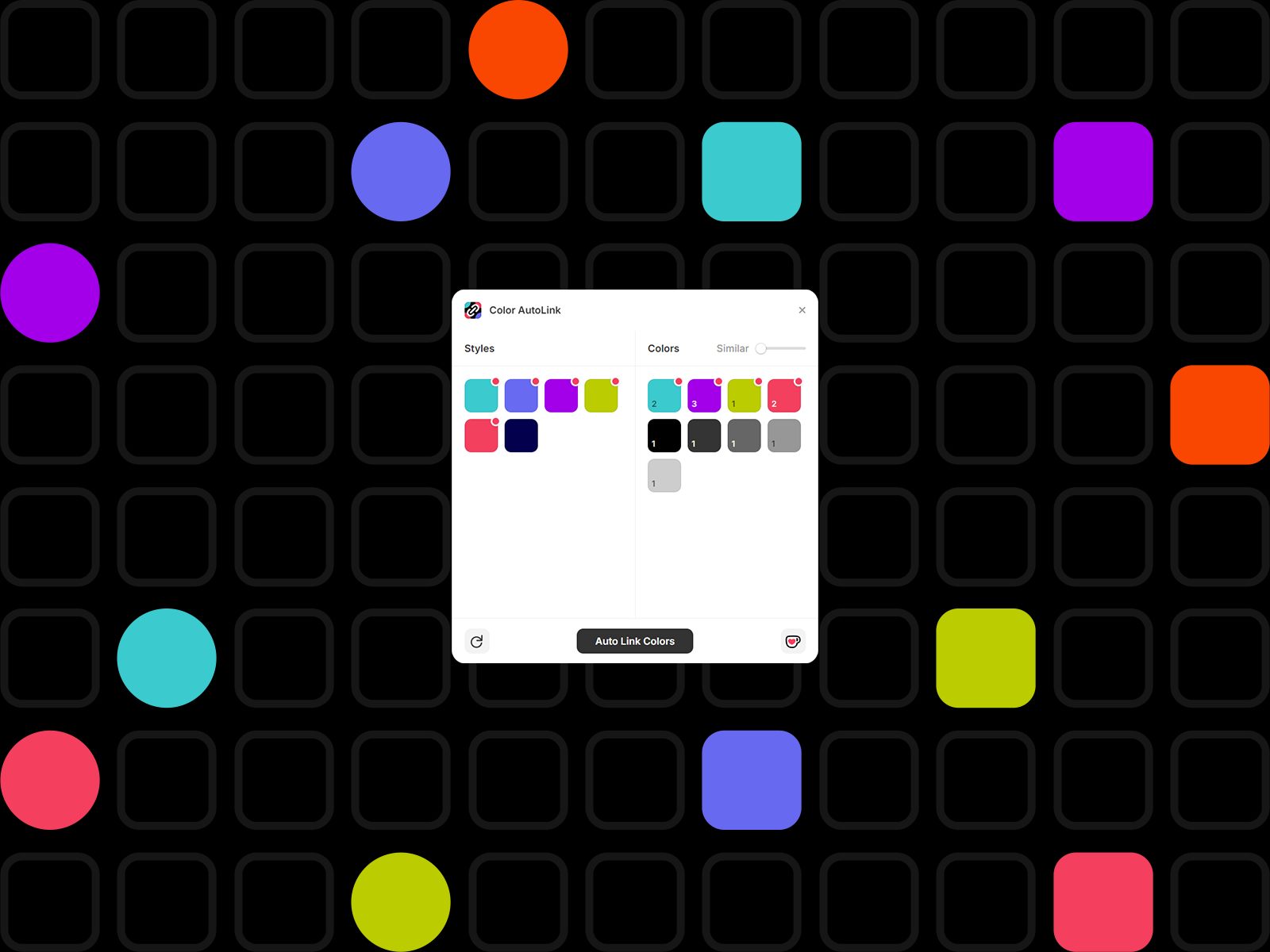
Usage counters: The exact number of objects in which each color is used is displayed next to it. You can immediately see which “raw” colors clutter your project the most.
Selective binding: Complete freedom of action. You can manually select any style from your project and force any color from the list of found colors to bind to it, even if they are radically different in tone.
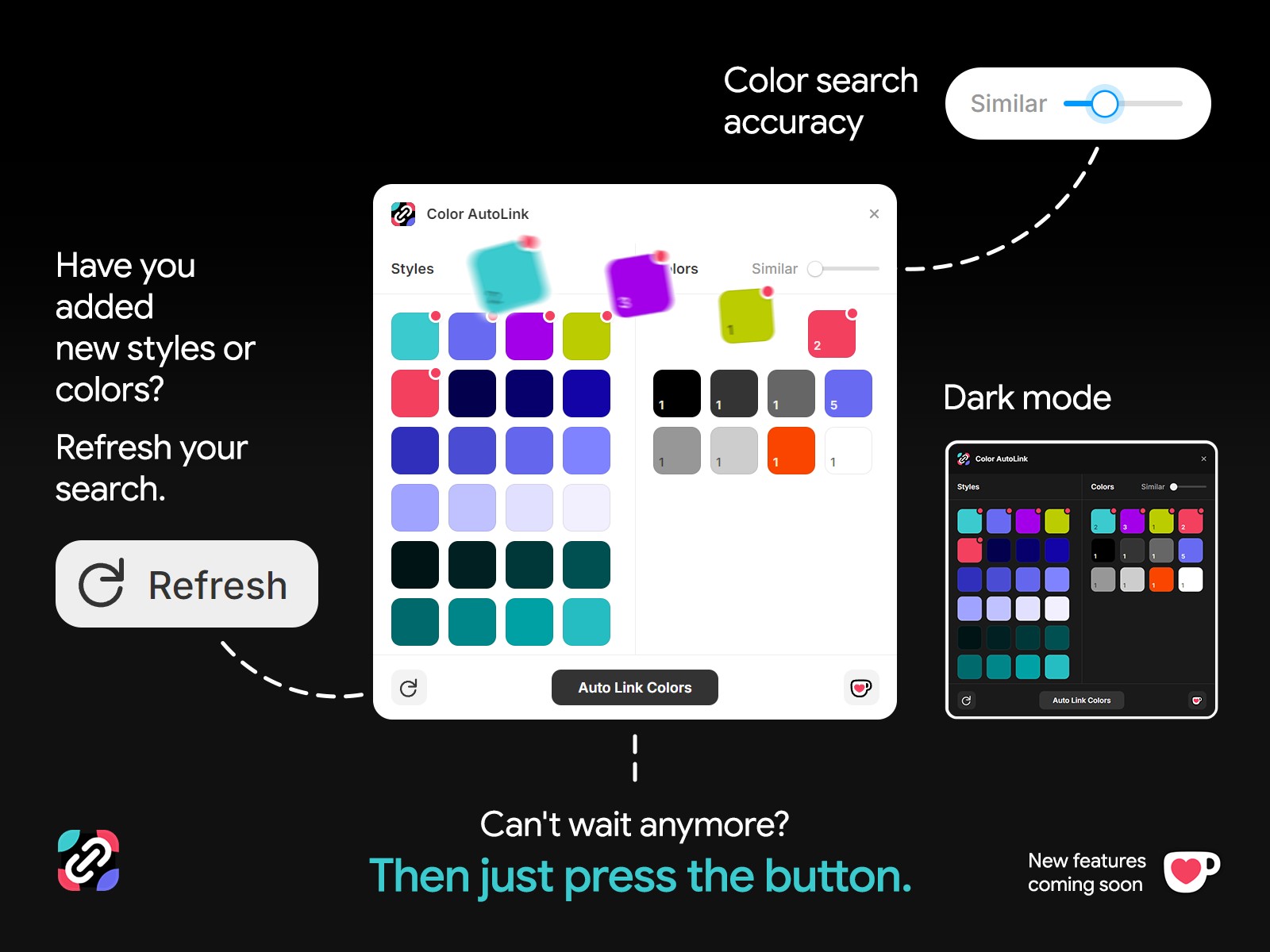
Accuracy adjustment (Similar): Use the native slider to adjust the search tolerance. Find not only exact matches, but also similar shades to combine them.
Bulk linking (Auto Link): Link all found objects marked with a red dot in the corner with a single click.
How it works:
Scanning: When you open the plugin, it automatically analyzes the fill and border colors at the main breakpoint, as well as the objects inside the components.
Adjustment: If necessary, adjust the Similar slider to capture similar shades from the right column.
Done: Click Auto Link Colors, and all selected elements will be updated instantly.
💡 Tip: Don't close the plugin if you decide to add new styles to your project right away. Click the Refresh button, and the colors will instantly appear in the list, ready to be linked even to the most contrasting shades.
Make your Framer workflow faster and your project structure cleaner with Color AutoLink.
Development and support
I continue to work on improving algorithms and adding new useful features to make your work in Framer even more enjoyable.
If my plugin has saved you time and you are satisfied with the result, you can support me on Ko-fi. Your support inspires me to further develop and improve this tool.
Support the author on Ko-fi ☕
Stay tuned for updates, there are many more useful improvements ahead!