Convitsa
Convitsa is an AI-driven AIEO (AI Engine Optimization) platform that helps creators instantly optimize how their website or brand appears to AI systems.

About this Plugin
Convitsa — AI Engine Optimization for Your Site
Convitsa is the world’s first AIEO plugin designed to control how AI systems interpret your brand or website.
As AI assistants like ChatGPT, Gemini, and Perplexity become primary search interfaces, creators need a way to influence how these models “see” their content. Convitsa makes this effortless.
⸻
⭐ What Convitsa Does
Convitsa analyzes your brand description and instantly generates:
• AI-Optimized Brand Overview
Clear, machine-interpretable version of your brand’s identity.
• Tone & Behavior Instructions for AI Models
How you prefer LLMs to present your brand in conversation.
• Structured AI Metadata
AIEO-ready tags that help AI systems understand:
• your niche
• your services
• your target audience
• your differentiators
• Improved AI Discoverability
Makes it easier for AI search engines to fetch accurate information about you.
⸻
🧠 Why It Matters
Traditional SEO is no longer enough.
AI search engines and LLMs now mediate billions of user interactions.
If AI systems misunderstand your brand, users will too.
Convitsa allows you to choose how you want AI to see you, giving you direct control over your AI-facing narrative.
⸻
🚀 Who This Plugin Is For
• Startups
• Designers
• Creators
• Agencies
• Anyone building a brand in Framer
If you want AI systems to present your product correctly and clearly — Convitsa is built for you.
⸻
🔧 How It Works
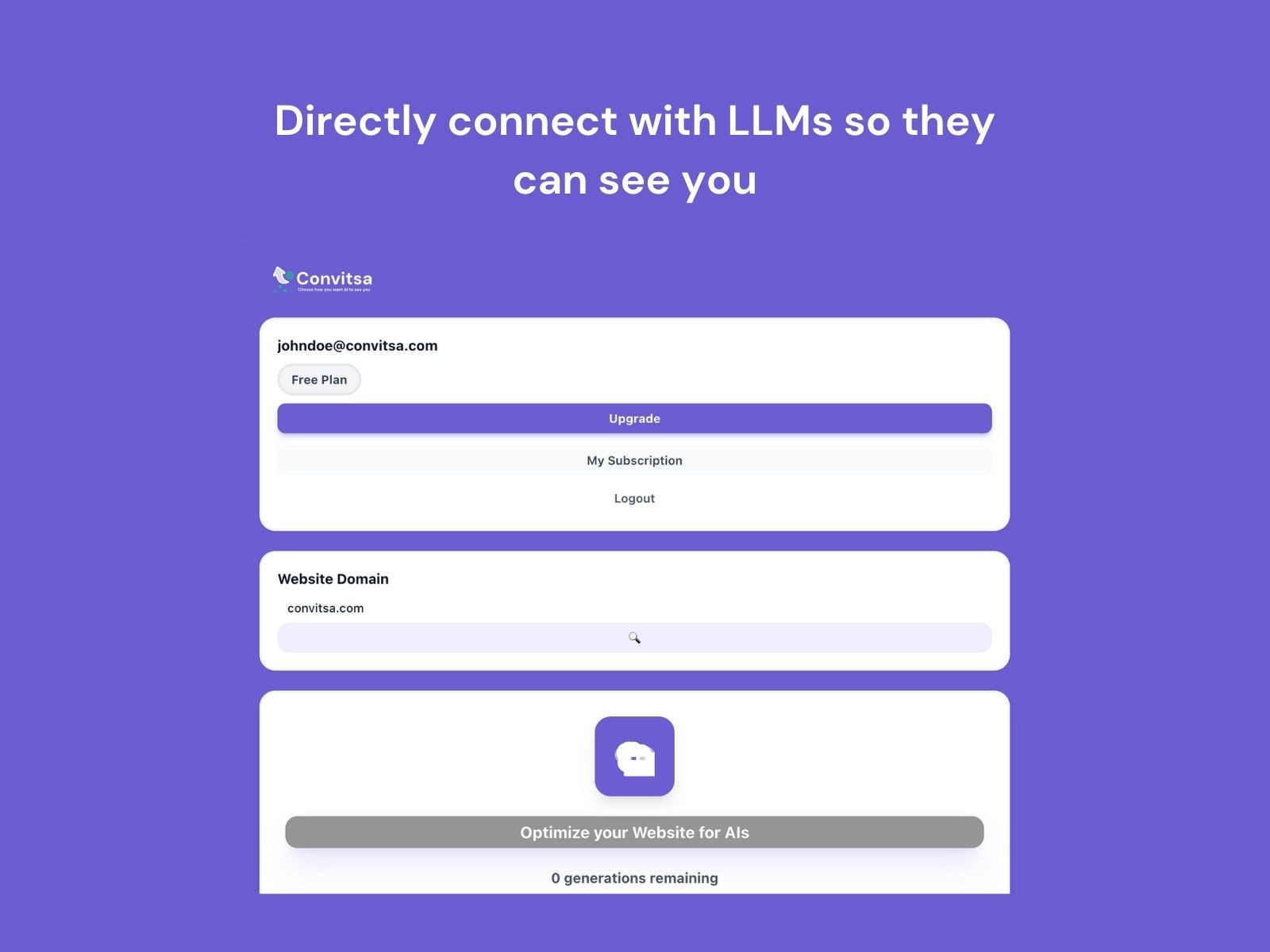
1. Enter your brand website.
2. Click Optimize your Website for AIs.
3. Convitsa outputs:
• brand interpretation
• tone settings
• keywords
• AI-ready metadata
You can copy and use this output anywhere:
your site, marketing materials, or directly in AI assistants.
Changelog
Hello!I have completed all the requested changes:
1. Dark Mode Support The plugin interface now fully supports dark mode according to the Framer documentation.
2. Persistent Login Fixed The issue where the plugin logged out after closing and reopening has been resolved.The plugin now keeps the user logged in across sessions.
3. Debug Messages Removed All debug console messages are now limited only to development mode.I’m using the window.location.hostname === "localhost" check to avoid showing logs in production.4. Removed 🔍 button That button had an error related to project info and we noticed that there is no need for that button for generations so we removed that from there.
Please let me know if anything else is needed!